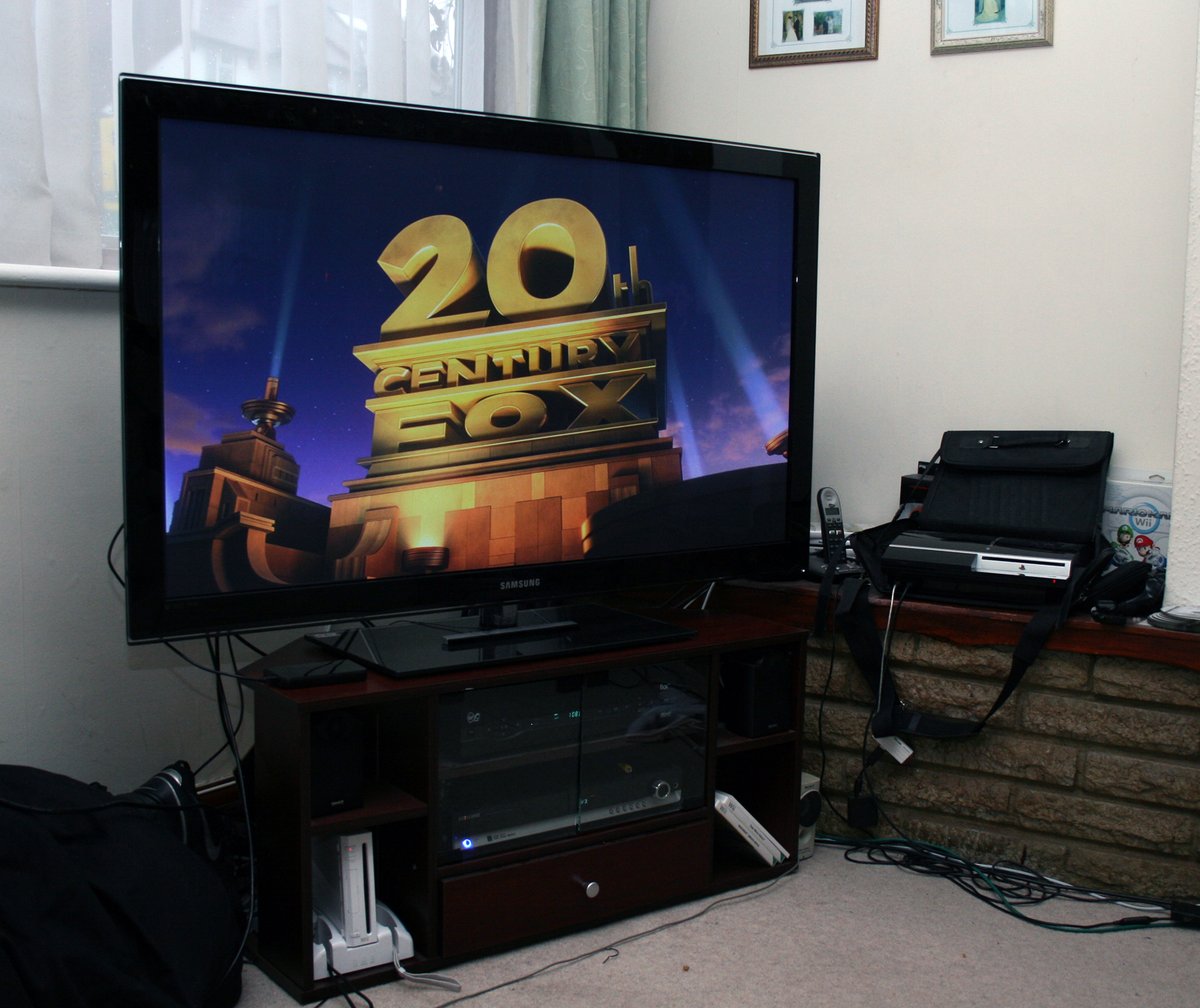
Ever walked into a properly optimized home cinema and felt a shiver of pure immersion? That heart-thumping bass, the dialogue crystal clear from the screen, effects swirling around you, and visuals so sharp they almost spill out of the display. This isn't just about owning fancy gear; it’s about mastering the art of Optimizing Your Home Cinema Experience for HD to unlock its full potential. You're not just watching a movie; you're living it.
But let's be real: setting up a truly immersive home theater can feel daunting. With countless options for displays, speakers, receivers, and the ever-present jargon of "Dolby Atmos" and "HDR10+," where do you even begin? This guide cuts through the noise, offering actionable insights and expert advice to help you transform your viewing space from a mere living room into a cinematic sanctuary.
At a Glance: Your Path to Home Cinema Nirvana
- Beyond 1080p: Understand the jump to 4K and 8K, and the magic of High Dynamic Range (HDR) like Dolby Vision.
- Display Dominance: Choose between an OLED TV for stunning contrast or a projector for true cinematic scale, based on your room and preferences.
- Audio Revolution: Embrace object-based audio with Dolby Atmos or DTS:X, adding a vertical dimension to your sound.
- The Brains of the Operation: Select an AV receiver that supports your desired audio formats and video passthrough (HDMI 2.1 is key!).
- Speaker Science: Learn about proper speaker placement, the importance of timbre-matching, and why a dedicated subwoofer is non-negotiable.
- Taming the Room: Discover how acoustic treatments like bass traps and absorption panels can dramatically improve sound clarity.
- Connectivity Counts: Invest in high-quality HDMI 2.1 cables and organize your wiring for optimal performance and aesthetics.
- Precision Tuning: Utilize built-in room correction software and manually fine-tune your audio and video settings.
- Smart Integration: Link your home cinema to smart home platforms for effortless control.
Laying the Visual Foundation: Display Technology Explained
Before you even think about speakers, the picture needs to be perfect. When we talk about HD, we're really talking about a spectrum of resolutions, from the familiar 1080p Full HD to the astonishing detail of 4K Ultra HD and even emerging 8K. But resolution is just one piece of the puzzle.
Demystifying Resolution: From 1080p to 8K
- Full HD (1080p): Still a solid baseline, 1080p offers a crisp picture that's perfectly enjoyable, especially on smaller screens. Many streaming services and Blu-ray discs still offer excellent 1080p content.
- 4K Ultra HD (UHD): This is the current standard for premium home cinema. With four times the pixels of 1080p, 4K delivers incredible detail, making images sharper and more lifelike. Most new TVs, projectors, and streaming devices natively support 4K.
- 8K Ultra HD: Pushing the boundaries, 8K boasts 16 times the pixels of 1080p. While 8K content is still relatively scarce, an 8K display offers future-proofing and can make upscaled 4K content look even better.
Beyond pure pixel count, High Dynamic Range (HDR) is arguably an even bigger game-changer. HDR (like Dolby Vision or HDR10+) expands the range of colors and contrast, making whites brighter, blacks deeper, and colors more vibrant and lifelike. A display that supports HDR is a must-have for a truly modern cinematic experience.
Choosing Your Canvas: TV vs. Projector
The choice between a TV and a projector often boils down to your room's conditions and how large you want your image to be.
- High-End TVs (OLED, QLED, LED):
- Best for: Rooms with some ambient light, superior contrast, perfect blacks (OLED), vibrant colors (QLED), and overall picture accuracy.
- OLED TVs excel in dark rooms, offering unparalleled contrast and individual pixel control.
- QLED TVs provide exceptional brightness and color volume, making them suitable for brighter rooms.
- LED TVs offer a cost-effective entry point with good brightness.
- Pros: Generally easier to set up, don't require total darkness, better for mixed-use rooms.
- Cons: Limited by screen size (typically up to 85-98 inches), can be expensive at larger sizes.
- Projectors:
- Best for: Dedicated dark rooms where you crave a truly expansive cinematic experience.
- Pros: Can project images well over 100 inches, creating an immersive, theater-like feel.
- Cons: Require near-total darkness for optimal contrast and color, often need a dedicated screen, more complex setup.
Expert Tip: Regardless of your choice, position your primary seating at an optimal viewing distance of 1.5 to 2 times the diagonal screen width. This ensures you're close enough to appreciate the detail without straining your eyes.
The Sound Revolution: Embracing Immersive Audio
Visuals are half the equation. The other half, the one that truly pulls you into the story, is sound. Gone are the days of just left and right; modern home cinema audio systems create a three-dimensional soundscape that envelops you.
Unpacking Dolby Atmos and DTS:X
Introduced between 2010 and 2019, technologies like Dolby Atmos and DTS:X redefined home audio. They moved beyond traditional 5.1 or 7.1 surround sound by introducing height channels. This means sound can now originate from above you, creating a truly three-dimensional listening experience.
At the core of Dolby Atmos is object-based audio. Instead of simply assigning sounds to specific speakers, Atmos treats each sound (a helicopter, a raindrop, a voice) as an individual "object" with metadata about its location, size, and movement. Your AV receiver then dynamically renders these sounds based on your specific speaker configuration and room acoustics.
Common Speaker Configurations:
- 5.1.2: An excellent entry point, this setup includes five traditional surround speakers, one subwoofer, and two height speakers.
- 7.1.4: For greater immersion, this expands to seven traditional speakers, one subwoofer, and four height speakers.
The height speakers are crucial. You can opt for: - In-ceiling speakers: These offer the most accurate overhead sound placement.
- Upward-firing speakers: A practical alternative, these speakers bounce sound off your ceiling to simulate overhead effects. They work best with flat, reflective ceilings of a moderate height.
The Heartbeat of Your System: The AV Receiver
Your AV receiver is the central hub, processing all audio and video signals. Choosing the right one is paramount.
- Compatibility: Ensure it supports Dolby Atmos and DTS:X.
- Channels: Select a receiver that can power the number of speakers in your desired configuration (e.g., a 7.2.4 receiver can handle seven traditional, two subwoofers, and four height speakers).
- Video Passthrough: Look for HDMI 2.0a/2.1 support to handle 4K or 8K video with HDR (Dolby Vision, HDR10+) at high refresh rates (4K/120Hz or 8K/60Hz).
- Room Correction: Modern receivers feature sophisticated room correction software (e.g., Audyssey, Dirac Live) that calibrates sound for your unique environment. This is a powerful tool for optimizing audio performance, though it's not a substitute for proper acoustic treatment.
Examples: Entry-to-mid-range options like Denon AVR-X3800H or Marantz SR7015 offer excellent features. For those seeking superior fidelity and more advanced calibration, high-end options like Anthem MRX 1140 or Trinnov Altitude32 stand ready.
Amplification: Powering Your Sound
For demanding speakers or larger rooms, dedicated power amplifiers or monoblocks can significantly enhance dynamic range and clarity, allowing your speakers to truly sing without strain. While many receivers have sufficient amplification, an external amplifier can take your audio to the next level.
Crafting the Soundstage: Speaker Selection and Placement
Your speakers are the voice of your system.
- Timbre-Matching: This is crucial. All your front-stage speakers (left, center, right) should ideally come from the same manufacturer and series to ensure a cohesive, uniform sound as audio pans across the front.
- Speaker Types:
- Bookshelf speakers: Great for smaller rooms, offering detailed sound.
- Floor-standing speakers: Ideal for larger rooms, providing a fuller sound with more bass presence.
- Dedicated Subwoofer: Essential for deep, impactful bass. Don't skimp here; a good subwoofer will dramatically improve your experience.
- Placement is Key:
- Front Speakers (Left/Right): Place these at ear height, equidistant from your main listening position, and angled slightly inward (toed-in) towards your seating.
- Center Channel: Positioned directly above or below your TV/projector screen, ensuring dialogue is anchored to the visuals.
- Subwoofer: Start by placing it in a corner or along the front wall, but be prepared to experiment. The "subwoofer crawl" method (placing the subwoofer in your listening position and crawling around the room to find where it sounds best, then placing the sub there) can yield excellent results.
- Surround Speakers (Side/Rear): Ideally placed to the sides and slightly behind the main seating area, at or slightly above ear height, to create an enveloping sound field.
- Height Speakers (Atmos/DTS:X): Whether in-ceiling or upward-firing, ensure they are positioned symmetrically according to your chosen configuration (e.g., in front and behind your listening position for a 7.1.4 setup).
Actionable Insight: Polk Audio Signature Elite ES and Klipsch Reference Premiere are popular entry-level to mid-range choices, while Bowers & Wilkins 800 Series Diamond or KEF Reference offer high-end audiophile performance.
The Unsung Hero: Room Acoustics
You can have the best equipment in the world, but if your room fights against it, your sound quality will suffer. Room acoustics are often overlooked but are absolutely critical for a superior home cinema experience. Hard surfaces reflect sound, causing echoes, muddiness, and excessive reverberation.
Taming the Wild Echoes: Acoustic Treatment
Acoustic treatment doesn't just block sound; it absorbs, diffuses, or redirects sound waves to create a balanced listening environment.
- Bass Traps: These are your best friends for controlling low-frequency sound. Placed in corners, they absorb bass energy, preventing booming, muddy bass and managing standing waves that can create "dead spots" or "hot spots" in your room. You can buy commercial bass traps or even DIY them.
- Sound Absorption Panels: These panels absorb mid- and high-frequency sound, reducing echoes and reverberation. Strategically place them on walls and ceilings, particularly at "first reflection points"—the spots where sound bounces off a surface directly to your ears from a speaker.
- Diffusers: Often placed on the rear wall, diffusers scatter sound waves. Instead of absorbing sound, they break it up and spread it around, creating a more spacious, natural, and realistic sound field, especially for surround effects.
Practical Tips for Acoustic Treatment: - Thick Curtains/Drapes: Heavy fabrics absorb sound, especially on windows.
- Rugs/Carpets: A thick area rug on a hard floor can significantly reduce reflections.
- Furniture: Plush sofas, bookshelves filled with books, and upholstered chairs can all help absorb sound.
- Acoustic Panels as Art: Many manufacturers offer panels disguised as artwork, blending seamlessly into your decor.
- Experimentation: Start with basic treatments and use a calibrated microphone with room acoustics analysis software to measure your room's frequency response. This data will guide your treatment decisions more precisely.
Remember, while your AV receiver's room correction software is helpful, it can only do so much. It corrects electronically, but it can't physically remove reverberation or smooth out bass peaks caused by untreated surfaces.
The Invisible Network: Wiring and Connectivity
Don't underestimate the humble cable. Proper wiring and connections are the lifelines of your home cinema.
High-Quality Connections
- HDMI Cables: For 4K/8K HDR video and lossless audio, invest in high-quality, certified HDMI cables. For 4K/120Hz or 8K content with HDR10+ or Dolby Vision, you'll need HDMI 2.1 certified cables. Always label your cables at both ends—it saves headaches later!
- Speaker Wiring: Use appropriate gauge speaker wire: 16 AWG is generally fine for most runs, but for lengths over 50 feet, consider 14 AWG or even 12 AWG to minimize signal loss. Crucially, ensure correct polarity (positive to positive, negative to negative) on all connections.
- Component Connection Order: Connect all your video sources (streaming device, Blu-ray player, gaming console) to your AV receiver. Then, connect a single HDMI cable from your receiver's "HDMI Out" port to your TV or projector. If you're using your smart TV's built-in apps, use HDMI eARC (Enhanced Audio Return Channel) to transmit uncompressed audio back to your receiver.
Cable Management: Tidy and Safe
A mess of cables isn't just unsightly; it can be a source of interference or even a tripping hazard.
- Organization: Use cable ties, sleeves, or raceways to bundle and conceal cables.
- In-wall Installations: If running cables through walls, use CL2-rated, fire-resistant cables, and always consult local building codes.
The Art of Precision: Calibration
Once everything is connected, it's time to fine-tune your system. Calibration ensures you're seeing and hearing exactly what the director intended.
Audio Calibration
- Auto-Calibration: Start with your AV receiver's built-in auto-calibration feature (e.g., Audyssey MultEQ XT32, Dirac Live). This process uses a microphone to measure speaker levels, distances, and equalization, creating a baseline for your room.
- Manual Fine-Tuning: After auto-calibration, don't be afraid to manually adjust. Check subwoofer levels—many prefer a slightly elevated bass response. Experiment with crossover frequencies (the point at which bass from your speakers is redirected to the subwoofer) to achieve a seamless blend.
- Firmware Updates: Regularly update the firmware on your AV receiver and streaming devices. These updates often bring performance improvements, bug fixes, and compatibility with new content formats.
Display Calibration
Even the best TVs and projectors often come with factory settings that aren't ideal.
- Basic Adjustments: Adjust brightness, contrast, color, and sharpness using internal test patterns or dedicated calibration discs. Aim for accurate colors and detailed images without crushing blacks or blowing out highlights.
- Professional Calibration: For the ultimate picture accuracy, consider hiring a professional display calibrator. They use specialized equipment to dial in your display's settings to industry standards.
Beyond the Basics: Smart Integration and Content
Your optimized home cinema can be even more magical with thoughtful integration and access to the best content.
Seamless Smart Home Control
Integrate your AV components with smart home platforms like Google Assistant, Amazon Alexa, or Apple HomeKit. Imagine saying "Alexa, start movie night" and having your lights dim, projector screen lower, and AV system power on, all automatically. Creating custom routines adds a layer of convenience and luxury.
Accessing Premium Content
- Robust Streaming Devices: While smart TVs have apps, dedicated streaming devices (Apple TV 4K, Nvidia Shield TV, Roku Ultra) often offer better interfaces, quicker updates, and more consistent performance for 4K HDR content, including Dolby Atmos. Ensure your chosen device supports the formats you want to watch.
- Internet Connection: For smooth 4K streaming, a minimum internet speed of 25 Mbps is recommended. For the best stability, use a wired Ethernet connection to your streaming devices and AV receiver. Invest in a high-quality router to handle the bandwidth.
- Physical Media vs. Streaming: While streaming offers convenience, Blu-ray (especially 4K Ultra HD Blu-ray) still provides the highest audiovisual quality due to less compression. For critical viewing, nothing beats physical media. However, streaming services offer a vast library and continue to improve quality. You can always watch high definition movies from many streaming services, even if they aren't quite Blu-ray quality.
Maintaining and Evolving Your Cinematic Sanctuary
A home cinema is an investment that requires a little care and attention to keep performing at its peak.
Regular Maintenance
- Firmware Updates: Stay on top of firmware and software updates for all your devices.
- Physical Inspection: Periodically check HDMI cables and speaker wires for damage or loose connections.
- Cleaning: Dust equipment, especially vents, to prevent overheating. Use appropriate cleaners for your display.
- Optimal Setup: Re-evaluate seating arrangements and viewing distances if you make changes to the room.
When to Consider Upgrades
Your home cinema doesn't have to be built all at once. It's an iterative process. Consider an upgrade if:
- Lack of Format Support: Your current system can't handle newer formats like 4K HDR, Dolby Atmos, or HDMI 2.1 features.
- Quality Enhancement: You're ready to jump to higher-fidelity speakers, a more powerful projector, or a better AV receiver.
- Component Failure: A key component fails or significantly degrades in performance.
Actionable Insight: Professional AV integrators can provide invaluable guidance, from initial design and equipment selection to installation, wiring, calibration, and smart home integration. They can save you time, frustration, and ensure your system performs flawlessly.
Common Questions About Home Cinema Optimization
What are the essential components for a great home cinema?
At minimum: a high-definition display (4K TV or projector), a quality surround sound system (at least 5.1, ideally with height channels like 5.1.2), comfortable seating, effective light control (blackout curtains), and some basic acoustic treatment.
Can I build an optimized home cinema on a budget?
Absolutely. Focus on a good 4K display, a reasonably priced AV receiver with room correction, and a 5.1 speaker package (even second-hand options can be great value). Prioritize room setup—proper seating and light control—as these cost little but make a huge difference.
How do I optimize a home cinema in a small space?
Choose a screen size appropriate for the room. Consider wall-mounted or in-wall/in-ceiling speakers to save space. Utilize dark paint and blackout curtains to maximize contrast. Bookshelf speakers with a compact subwoofer are often ideal for smaller rooms.
How can I enhance my overall viewing experience beyond just tech?
Position your seating to be equidistant from the main left and right speakers. Calibrate your screen's brightness and black levels for comfortable viewing. Consider elevated rows of seats for larger setups. Finally, personalize your space with subtle mood lighting or movie-themed decor that doesn't distract from the screen.
Your Next Steps to Cinematic Bliss
Optimizing your home cinema experience for HD isn't a one-and-done task; it's an ongoing journey of refinement and enjoyment. Start with the basics: ensure your display is 4K HDR capable, your AV receiver supports immersive audio, and your speakers are thoughtfully placed. From there, gradually introduce acoustic treatments, fine-tune your settings, and integrate smart controls.
The goal isn't just to accumulate gear, but to create a personalized space where every movie, game, or concert becomes an unforgettable event. So, take these insights, apply them to your space, and get ready to be truly transported. The lights are dimming, the sound is coming alive, and the show is about to begin.